
This will show you how to re-populate the Park Industries Tool Bars in Alphacam. This typically happens after a Windows update has been installed.
Missing Machine tabs in Alphacam.
Make sure to only have one window open. If you have multiple the changes won't take affect.

Click on Add-ins /Macros button.
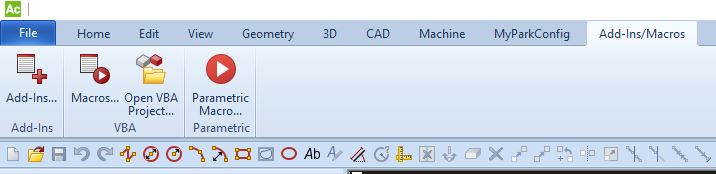
Click on the Add-Ins button

There are a couple ways this window will appear:
Alphacam version 2021 and older
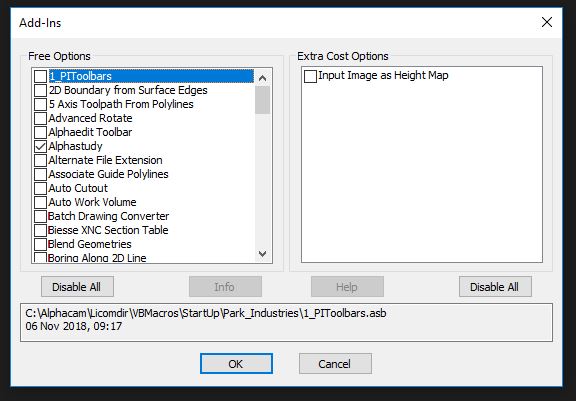
Uncheck the 1_PIToolbars option and click OK.
Alphacam version 2022 and newer
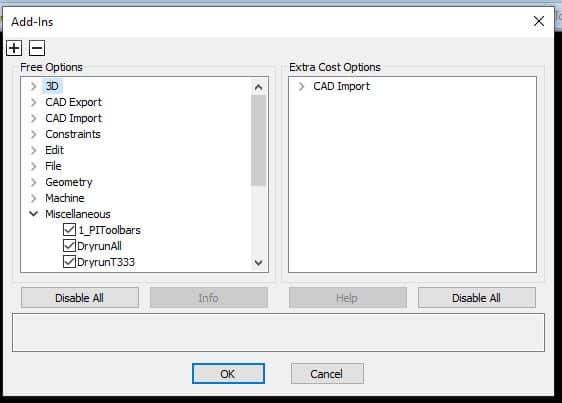
Click Miscellaneous Tab and then uncheck 1_PIToolbars.
Click the Add-Ins button again and now (go to Miscellaneous for 2022) re-check the PIToolpars option, and press OK.
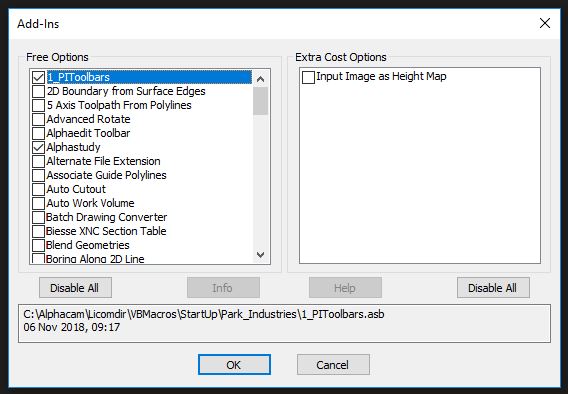
Now your machine tabs will be restored.
