

Video showing how to calibrate the material height sensor.
It is important before calibrating to make sure your using an area on the table that is in good shape. Use an area not cut up.
Scan to watch on mobile device

There are written guides for Javelin, Saberjet and Voyager machines below.
Steps for each machine:
Javelin:
Position the height sensor over a clean uncut area on the table.
Navigate to the Setup - Machine screen. In the height section area press the calibrate button.
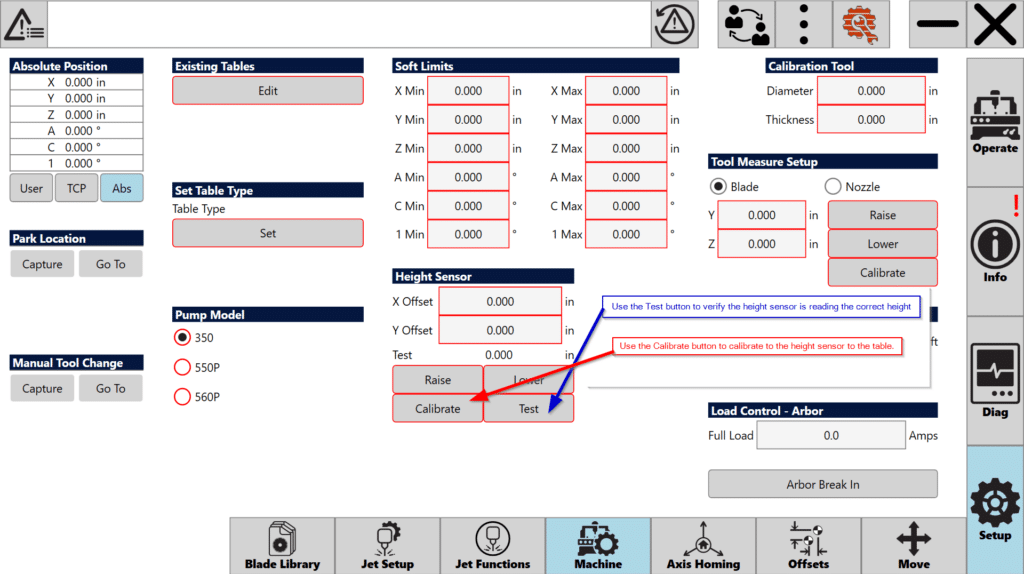
Steps the Javelin takes to calibrate the height sensor:
The jet assembly will lower
- The height sensor tip will lower
- The arbor assembly will slowly lower until the tip contacts the slat
- The arbor and jet assembly will rise up
- The height sensor tip will retract
Test is to test the height sensor by measuring a test material and making sure it measures correct.
If the height sensor does not read the material thickness correct, you should check the following items:
Check the Z Height to the Table.
Check Quality of slat rubber or the baker board.
Attempt the calibration and test process again.
Saberjet / Saberjet XP:
Position height sensor over a clean uncut slat or backer board.
Press the Calib button in the setup tab.
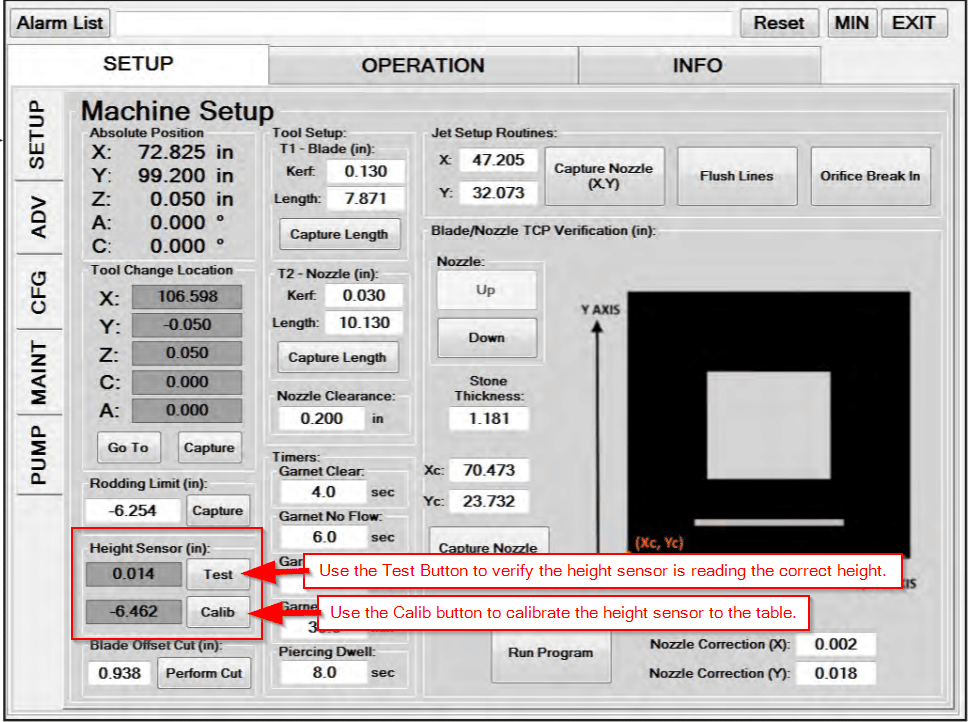
Steps the Saberjet will take to calibrate the height sensor:
- The jet assembly will lower
- The height sensor tip will lower
- The arbor assembly will slowly lower until the tip contacts the slat
- The arbor and jet assembly will rise up
- The height sensor tip will retract
Test is to test the height sensor by measuring a test material and making sure it measures correct.
If the height sensor does not read the material thickness correct, you should check the following items:
Check the Z Height to the Table.
Check Quality of slat rubber or the baker board.
Attempt the calibration and test process again.
Voyager XP
Position height sensor over a clean uncut section of the table top.
Press the Calibrate button in the height sensor section in setup.
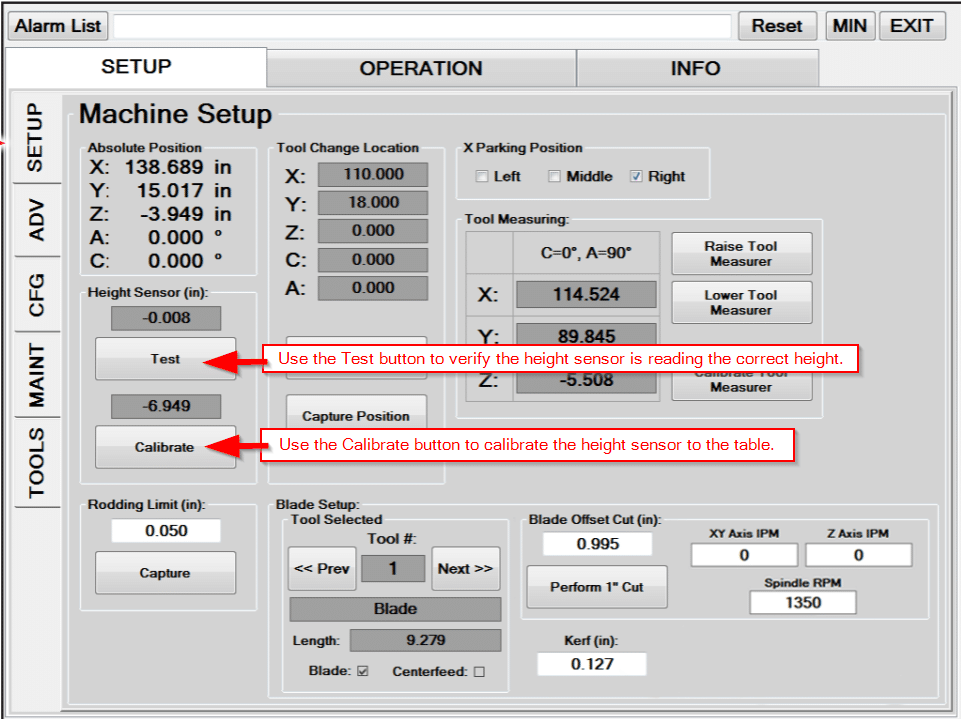
Steps the Voyager will take to calibrate the height sensor.
Height sensor tip will lower.
The spindle assembly (Z Axis) will lower until the tip contacts the table top
The spindle assembly (Z Axis) will raise up again.
Test is to test the height sensor by measuring a test material and making sure it measures correct.
If the height sensor does not read the material thickness correct, you should check the following items:
Check the Z Height to the Table.
Check Quality of slat rubber or the baker board.
Attempt the calibration and test process again.