
Video shows how to program a new digital vacuum gauge for your Titan or Titan FabCenter CNC.
Scan to Watch on Device:

- Press and hold SET for 3 seconds
- Press UP or DOWN to select inH
- Press SET
- 1 no appears (Do not change)
- Press SET
- 2 no appears (Do not change)
- Press SET
- 2.5 appears (Do not change)
- Press SET
- nAn appears (Do not change)
- Press SET to return to the vacuum display
- Press SET
- P_1 and 0.0 display alternates
- Press and hold UP button to select -19.0
- Press SET
- P_2 and 0.0 display alternates
- Press and hold UP button to select -19.0
- Press SET
- P_3 and 0.0 display alternates
- Press and hold UP button to select -19.0
- Press SET
- P_4 and 0.0 display alternates
- Press and hold UP button to select -19.0
- Press SET to return to the vacuum display.
- Press and hold UP and Down buttons at same time to 0 the vacuum reading with vacuum pump not running.
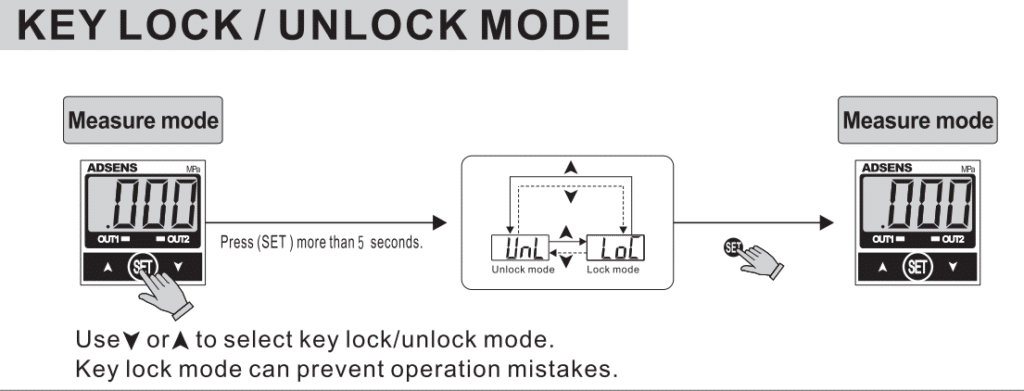
- Press SET more than 5 seconds. Press UP or DOWN once to change to LoC and press set to return to vacuum display.