

Guide on how to replace the photo eyes for Titan 4K and 3K.
Scan to View on Mobile Device

There is a printer friendly PDF version below.
Tools and supplies:
● Allen key set
● Socket set
Locate the photo eye receiver adjacent the operator console; disconnect the photo eye receiver cord, then the receiver.
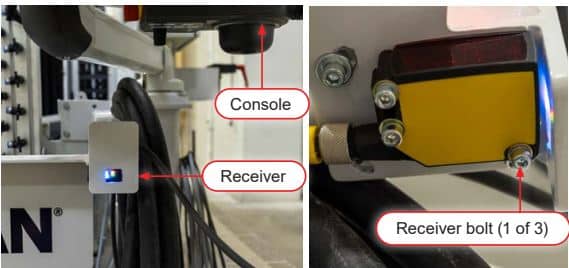
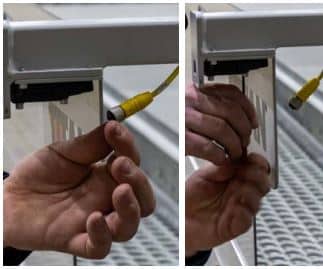
Install a new receiver; complete the same steps with the sender located on the away-side of the machine.
Adjust the arms, splash shields, and photo eyes as necessary to line up the transmitter and receiver
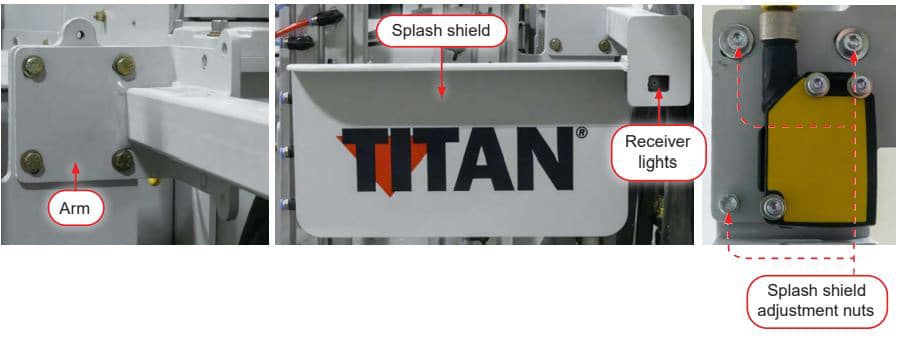
5 blue lights indicate optimal alignment between the transmitter and receiver.
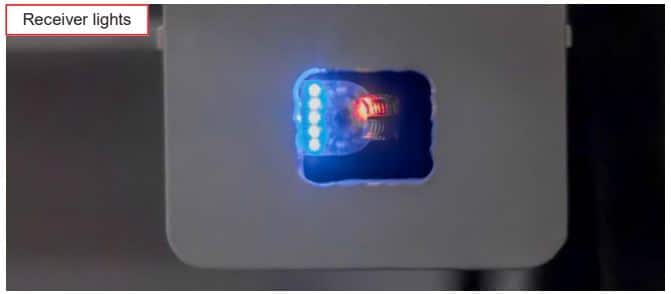
Clear the alarm list.
If you need additional help to align the photo eye see our video - Resetting & Aligning Photoeyes.