

In this guide we will go over the test stop function. The test stop is required when powering up the machine & after the machine has been on for 24 hours.
Scan to View on Mobile Device

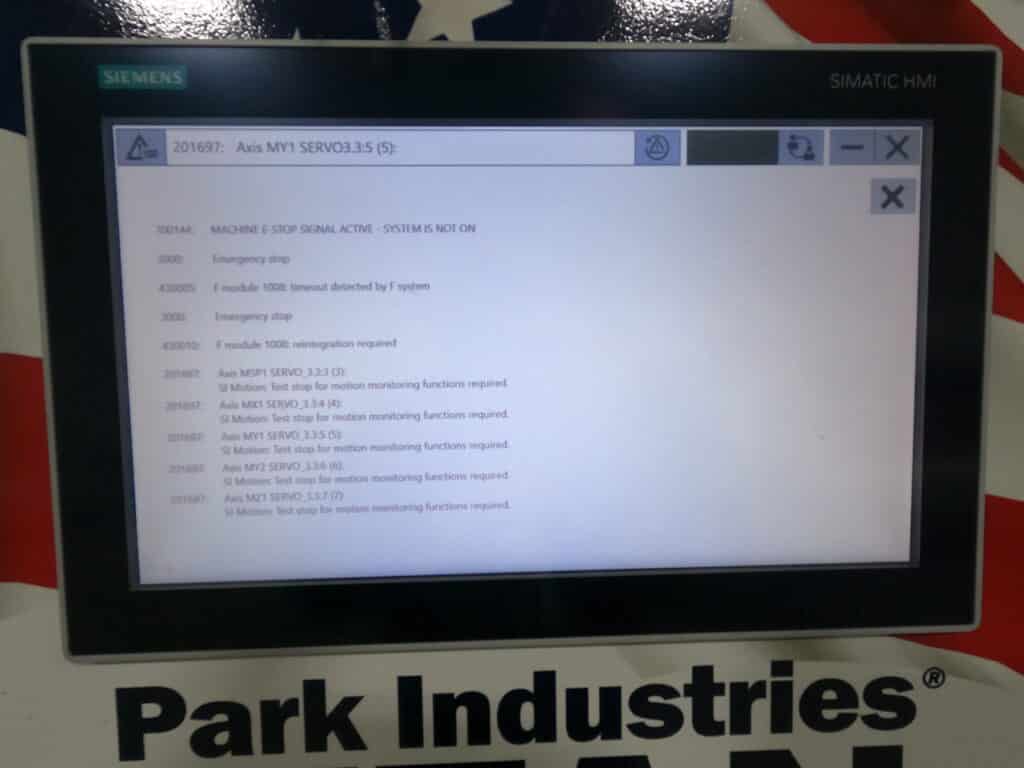
You will be presented with a SI Motion: Test Stop for motion monitoring functions required. This alarm will come up after 24 hours of system on time.
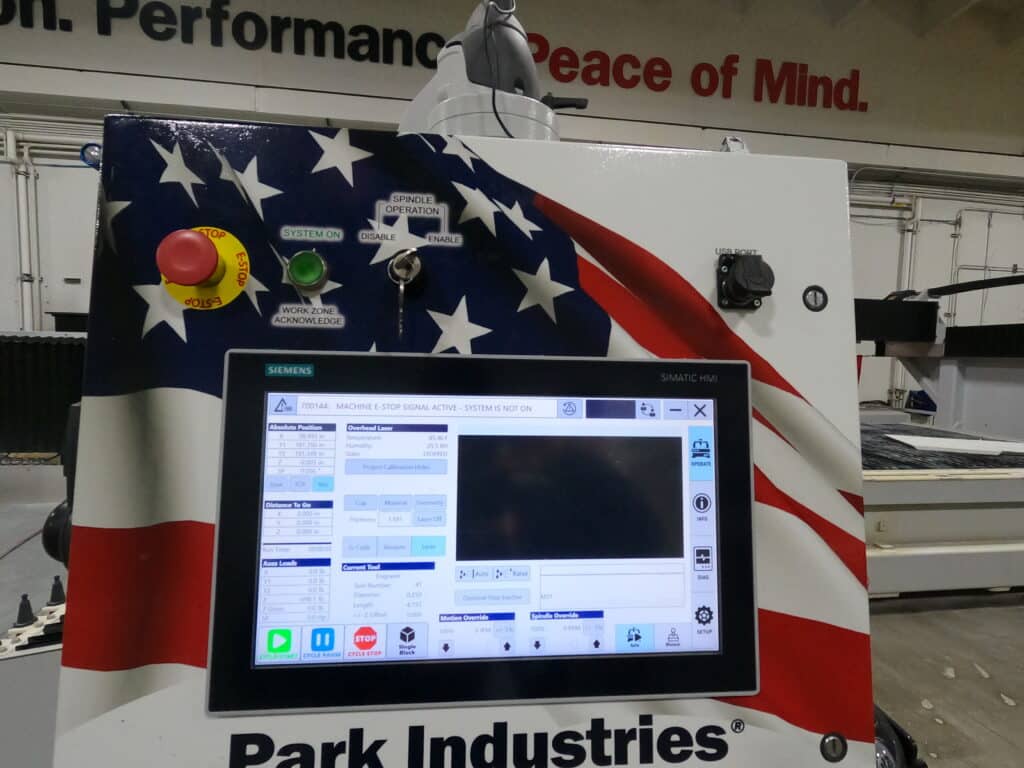
Click on Alarm List to see all alarms.
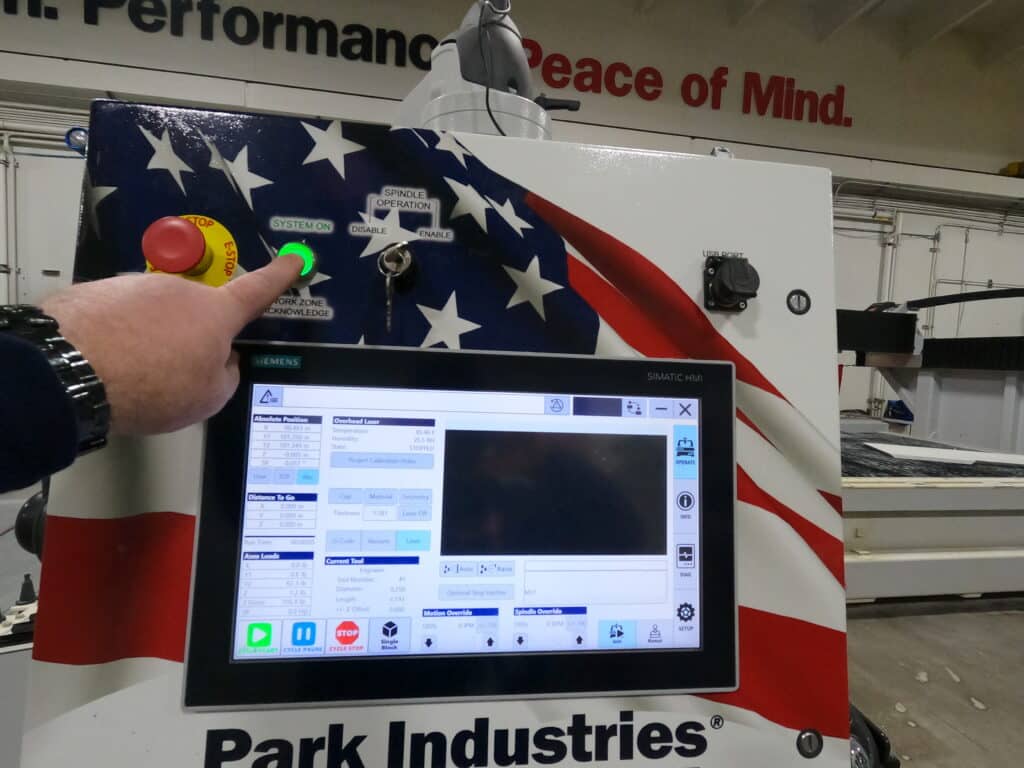
When you get this alarm you will need to press in the E Stop button. Pull it back out to reset and then press system on. The spindle must be enabled. Another way to reset it is to hold down the system on button 4 seconds and system will turn off. Let go of the button, then press system on button again.
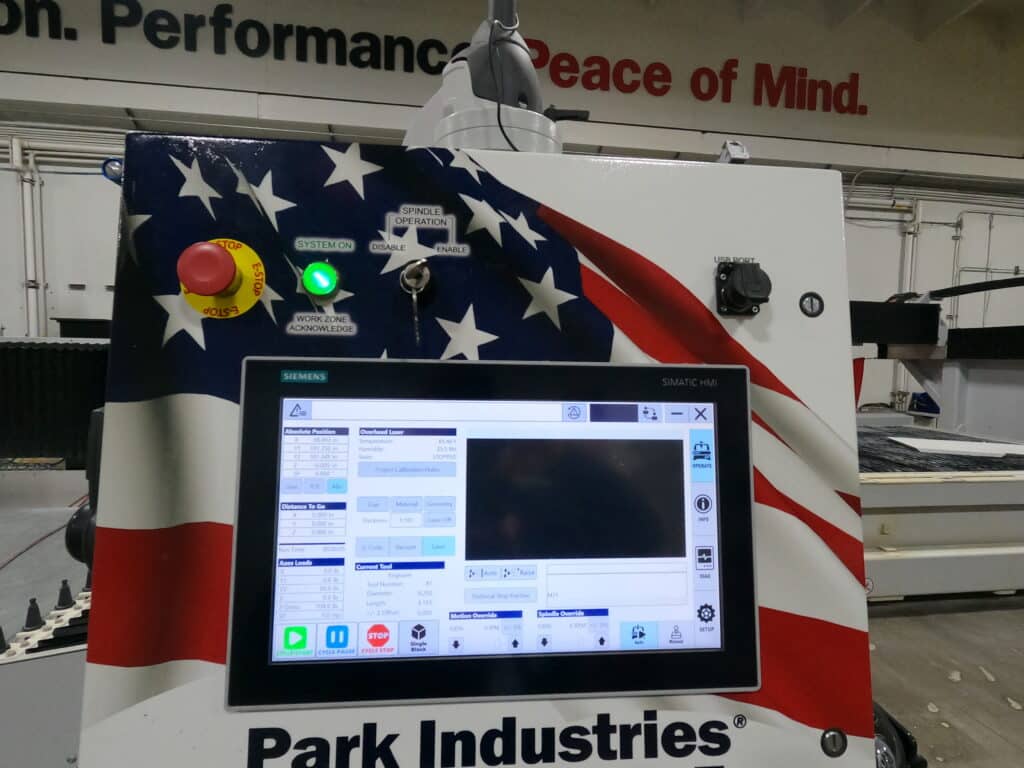
Pressing system on will then test the safety features of the machine and servo motors. Once completed you can continue production.
Possible Alarm numbers associated with a test stop, or test stop issue:
700144 Machine E-Stop Active - System is Not On
430005 F Module 1008: Timeout detected by F System
430010 F Module 1008: Reintegration Required
201697: SI Motion: Test Stop for motion monitoring functions required.