


Troubleshooting garnet flow restricted alarms. Step by step process to locate and correct garnet blockages
Scan to Read on Device:

Position Cutting head to work on
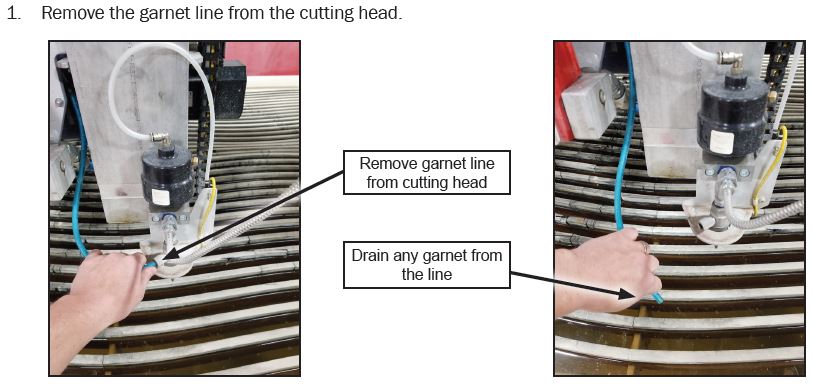
Using Compressed Air
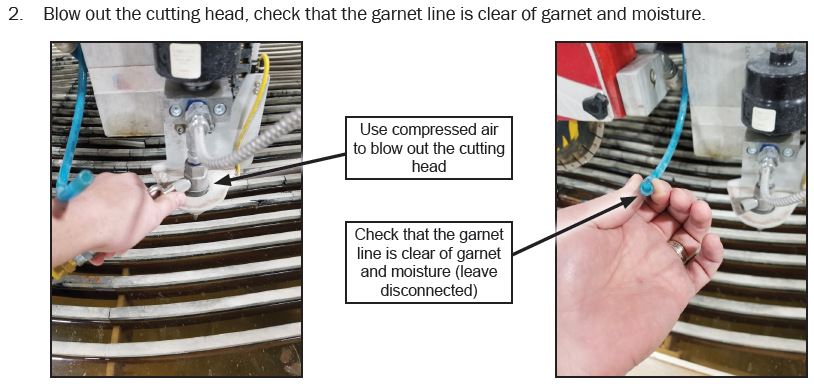
Clean Out Tubing
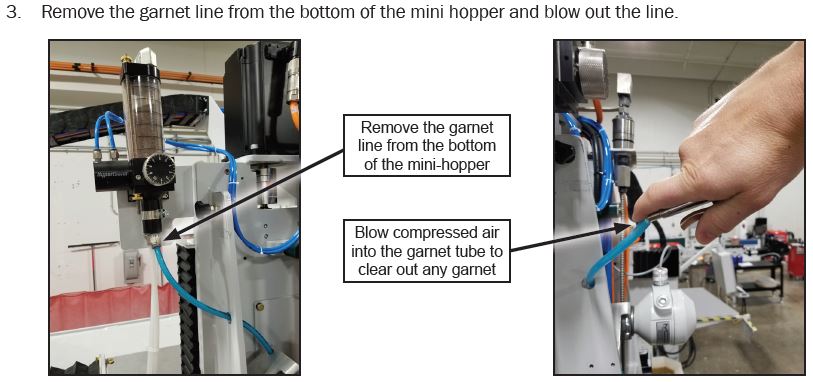
Reattach Blue Tubing
Connect the blue line to the bottom of the mini-hopper once the tubing cleared
Check Garnet Flow
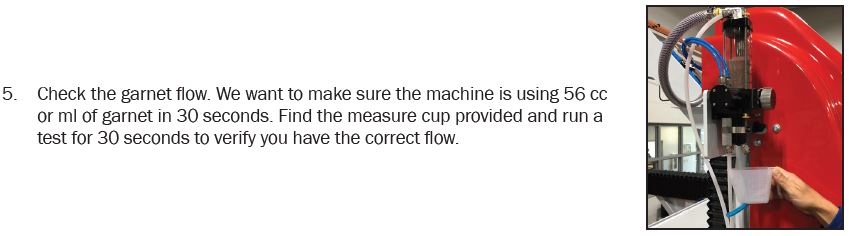
Correcting the Garnet flow amount
- If you don’t have the correct flow, either turn the round dial up if you need more garnet or down if you have too much. If you are unable to achieve the correct flow, do the mini-hopper maintenance found in the maintenance section of the operator manual or in the “Maintenance Help Screens”
Connect all hoses & replace any covers removed
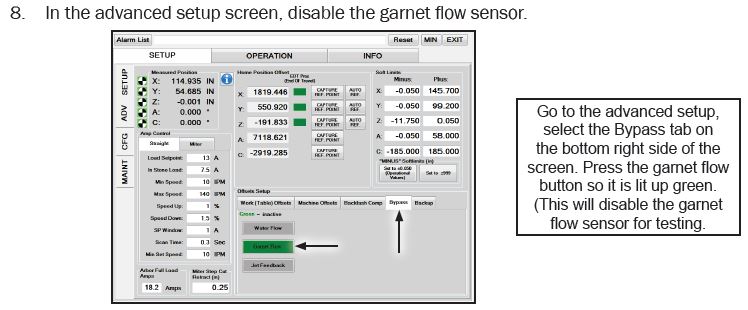
Disable Garnet
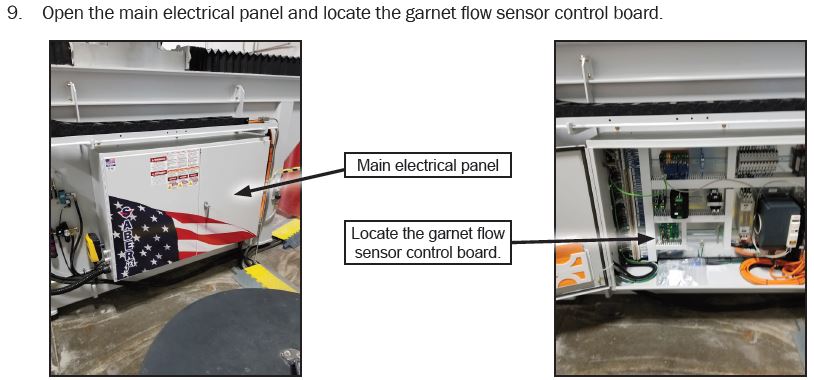
Locate the Garnet Control Board
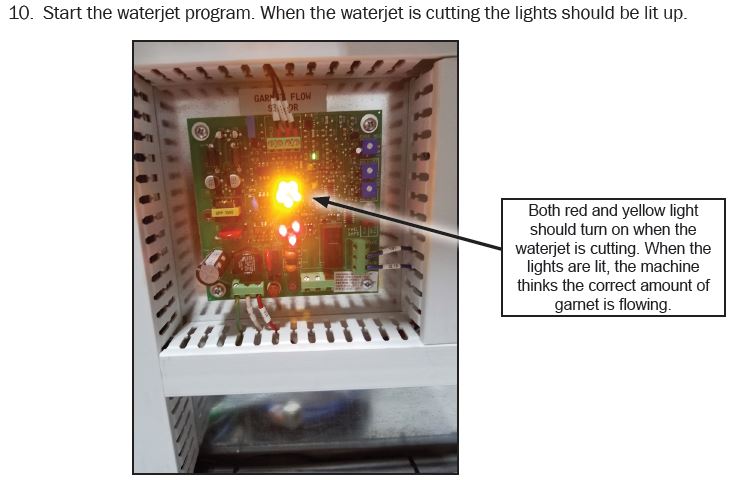
Enable the WaterJet
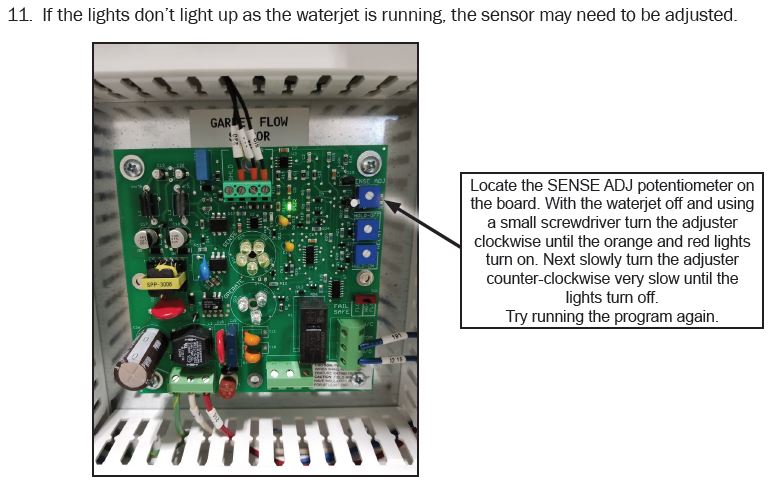
Making adjustments
Monitor the Control Board
Monitor the lights on the board while the machine runs a program. When the waterjet begins a cut,
the lights should turn on, when it finishes, they should shut off. (They should shut off between the cuts while the machine moves.) Run a complete job and monitor this, when finished, turn the garnet flow sensor back on by going into the advanced setup screen and pressing on the garnet flow button. When the button turns gray, the garnet flow sensor is active again.